Windows
Version 3.21.0
Install in a couple of clicks
Built for Windows 10/11, installs quickly, and stays up to date automatically.
Download for WindowsPARTITA STUDIO is a desktop studio where an AI agent plans the arrangement and writes MIDI parts with articulations and dynamics for your libraries. From idea to a score in your DAW — in minutes.
This is what a request to the agent looks like. Click a genre with ▸ to hear what it wrote for that prompt.
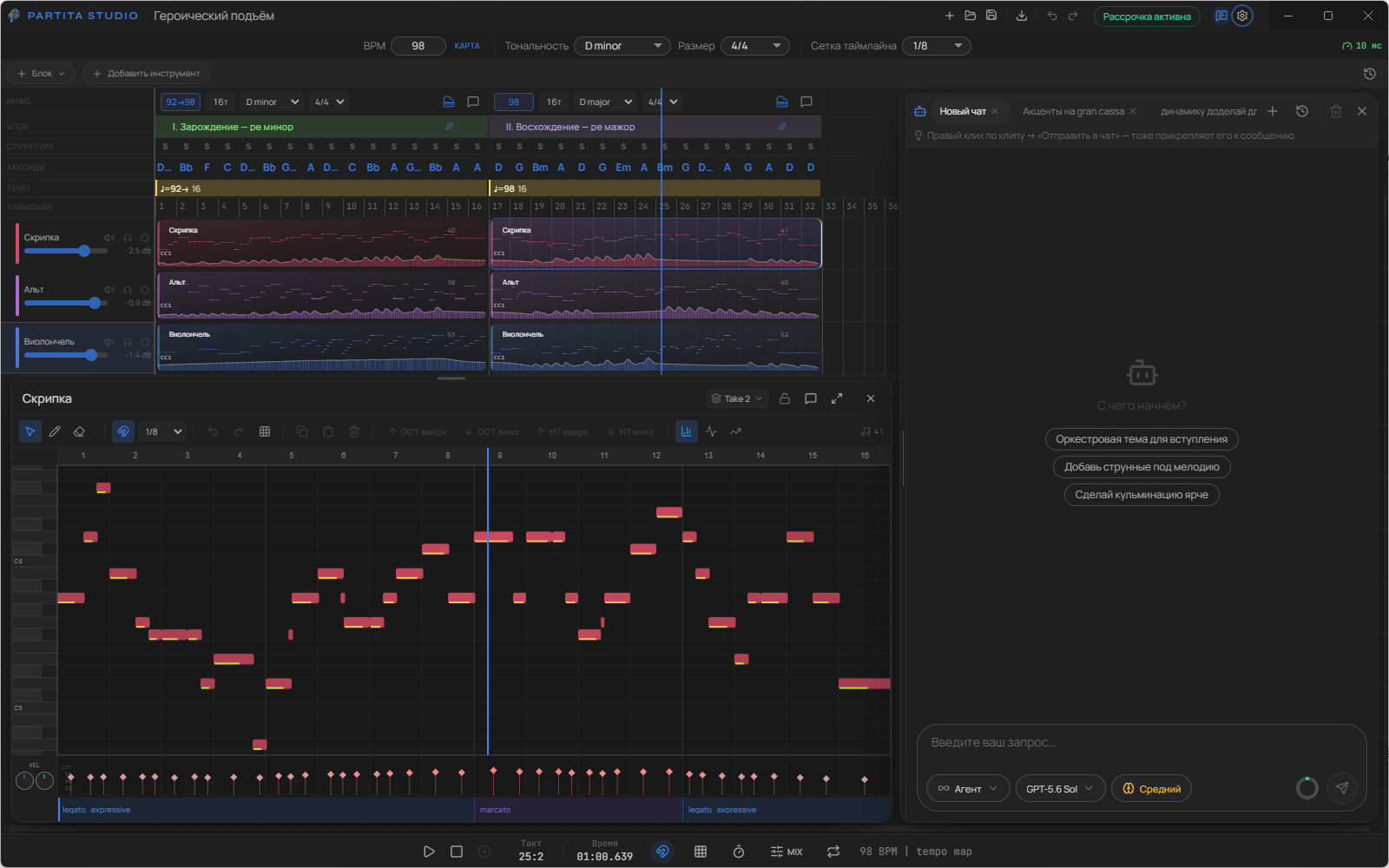






Chat with it like a co-orchestrator: PARTITA STUDIO parses your project structure, consults the orchestration knowledge base, plans out sections, and generates parts step-by-step.
Enter — send · Shift+Enter — new line
The most important improvements in the newest version, at a glance.
Loading update details…
You express what you want to hear. PARTITA STUDIO turns it into an arrangement with parts for every instrument.
Type in the chat: "heroic march for orchestra" or "tender theme for strings and flute".
Instrument selection, piece structure, and entry points — without manual track laying.
Parts with dynamics and articulations. Export to a file or route MIDI to your DAW via a virtual port.
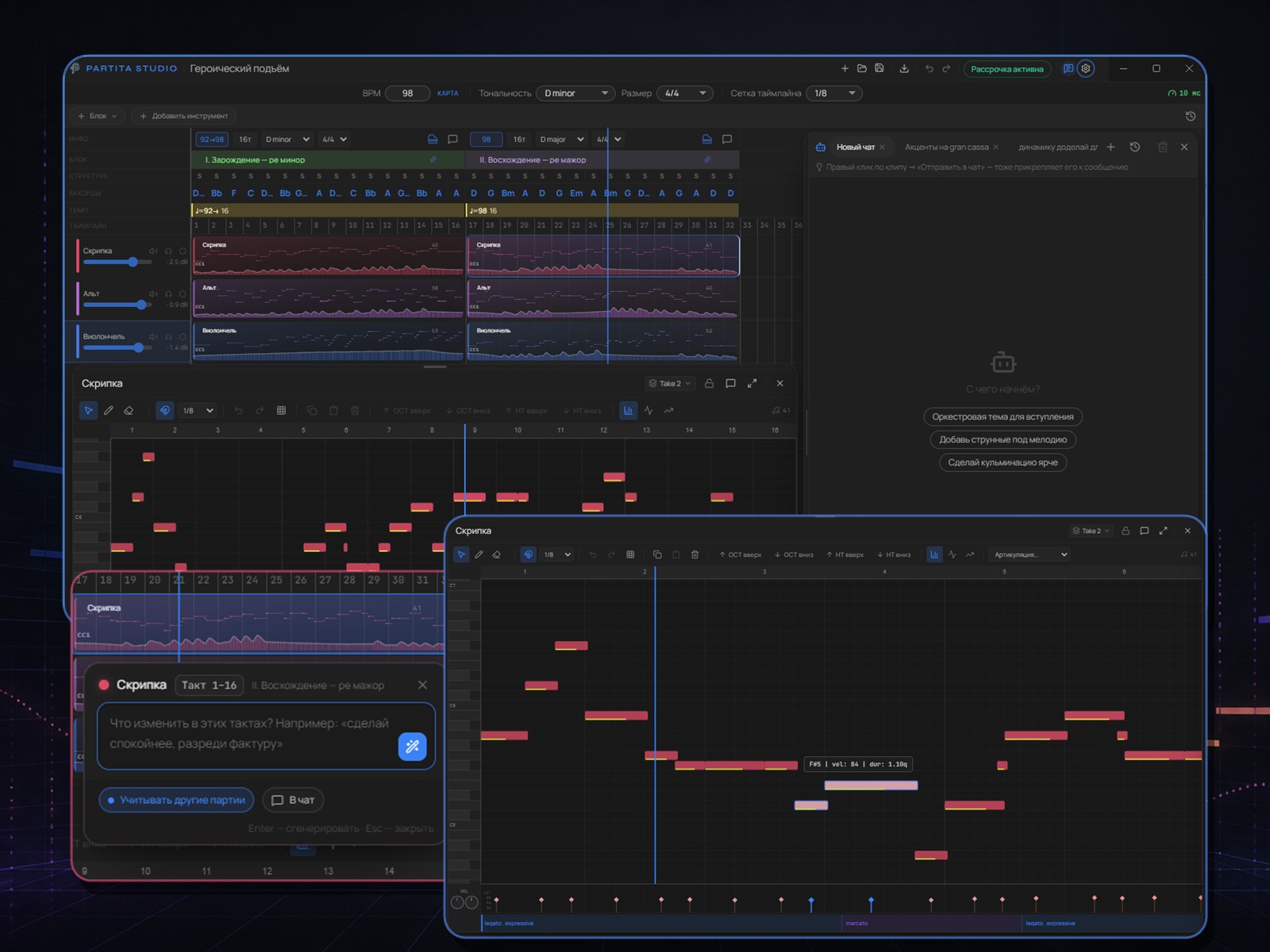
The entire process — from idea to multi-track arrangement — stays in the app: timeline, blocks, clips, curves, and a full-range MIDI editor.
Watch demoNote editor, expression curves, and articulations — like a DAW, tailored for orchestral libraries.
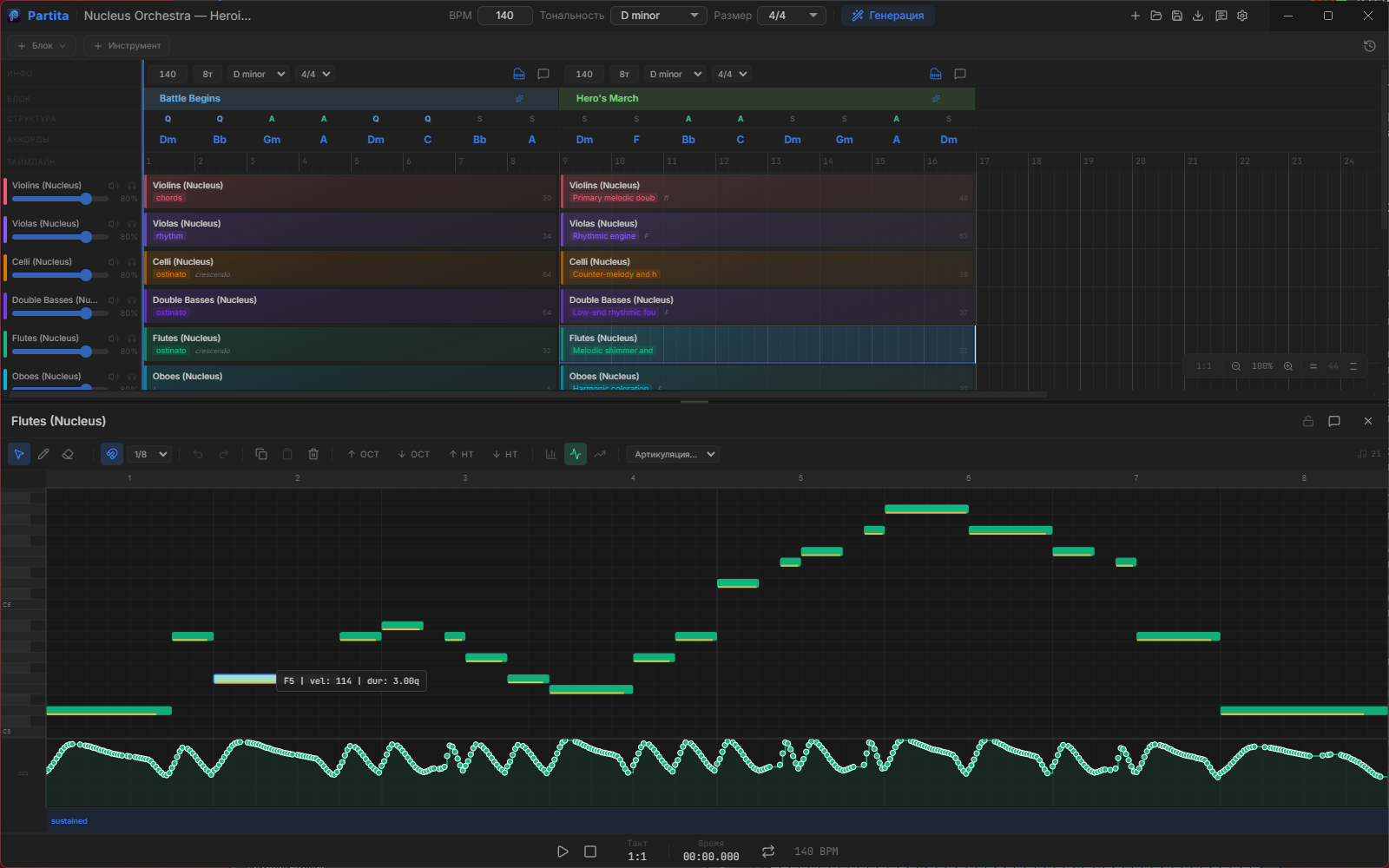
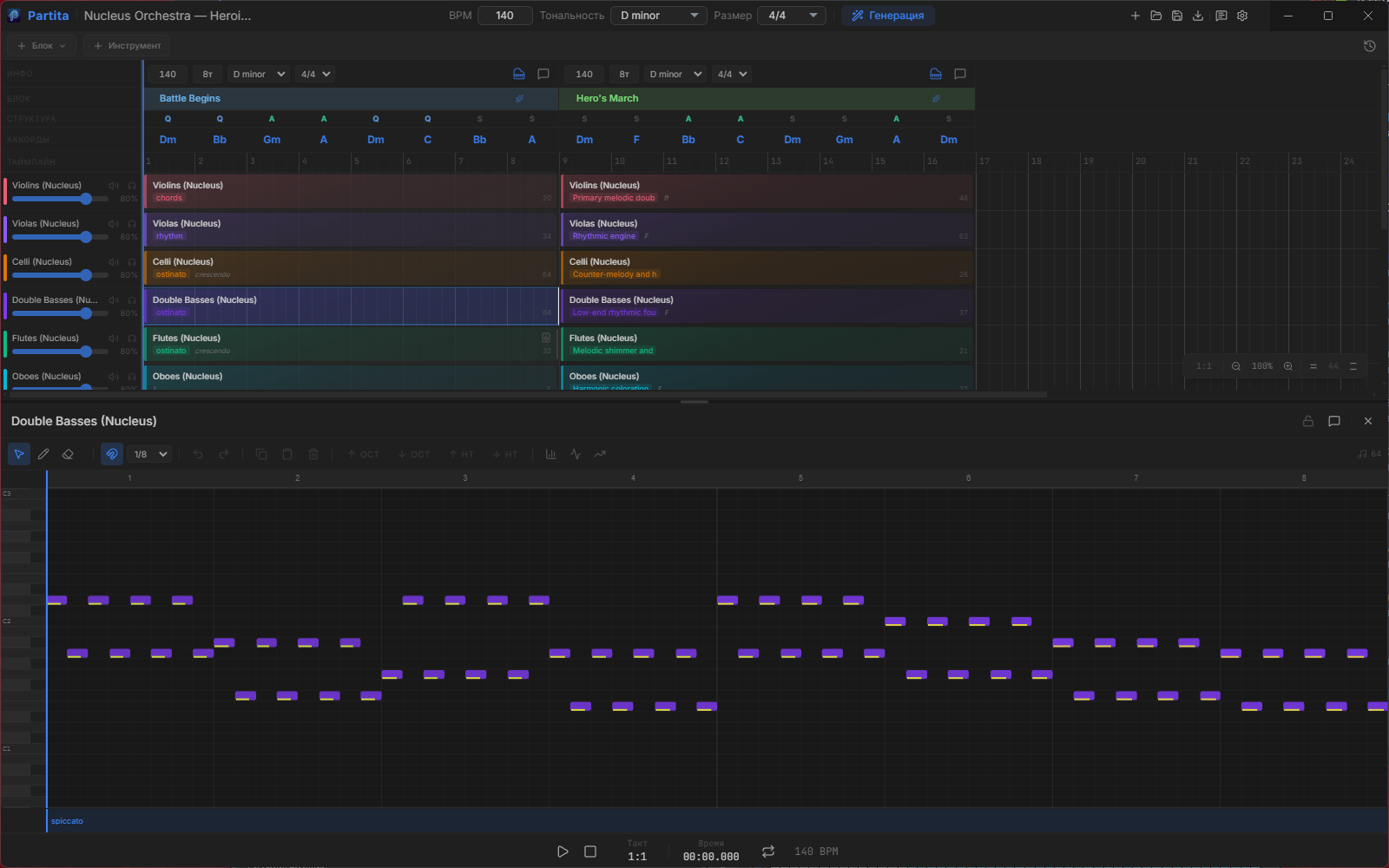
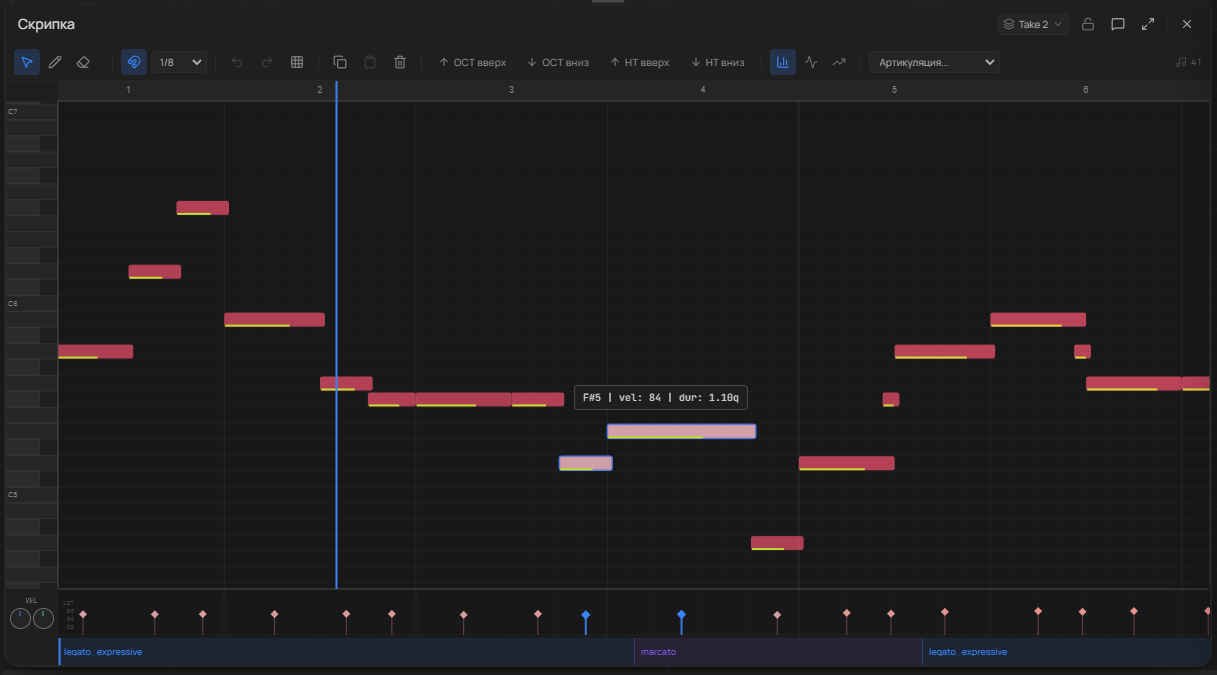
Real screenshots of the app. Pick a feature on the left — or just watch them cycle through.
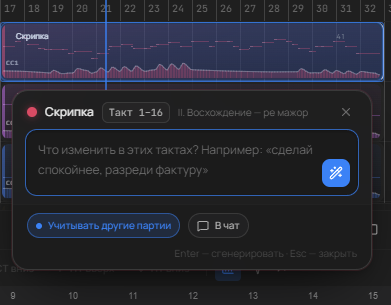

Practical orchestration tips are curated for your prompt. After generation — articulations, natural phrasing for winds, dynamics, and grid quantization prepare it for export.
More features
Typical tasks — no made-up names, just roles and results.
I used to manually place winds and check ranges. Now I state my intent and polish the parts in the editor.
Needed an orchestra for a video in one evening. Got the skeletal arrangement and exported MIDI to Cubase.
I watch the AI build the score block by block — it’s a great way to study orchestration from actual parts.
Nucleus and CSS in out-of-the-box profiles. Keyswitches and CC sequences don't break articulations.
LoopMIDI + PARTITA STUDIO: I hear my libraries in Reaper instantly, without unnecessary rendering.
Different models for agent and generation: bring your own API, app license is a one-time purchase.
From idea to studio-ready file — in one app, featuring the palette and typography you're used to in modern editors.
Connect the AI service you trust: OpenAI (including Codex), Anthropic, Google Gemini, OpenRouter, Polza.ai, Ollama, or LM Studio. Keys and models stay yours, and the agent and generation can use different models.
Go to productFull-range piano roll, velocity, CC, and articulations. You also get mini note previews directly inside clips on the timeline.
ScreenshotsSolo, section, and ready-made ensemble setups for popular libraries. Pick the lineup you need and keep moving.
LibrariesUnderstands your intent, plans structure, creates parts. Dozens of scenarios via agent tools.
Full keyboard range, velocity, CC, articulations, and expression.
95 documents — from orchestration to pop and electronic arranging; the agent loads relevant parts based on your prompt.
Built-in sound, MIDI output routing to DAW, professional-resolution file export.
windBrassBreathing, microDynamics, enforceRange, quantize.Route MIDI to Cubase, Reaper, FL, Ableton via virtual port — convenient for Kontakt and other libraries.
Your keys, your models: the reasoning agent and fast part generation can use different models — quality where it matters, savings where it doesn't.
Write to support@partita.pro or on Telegram — we'll help with licensing, updates, and DAW connection.
Commercial enquiries, team and educational licences — sales@partita.pro. Verification and sign-in codes arrive from auth@partita.pro; if nothing shows up, check your spam folder.
PARTITA STUDIO routes MIDI to your virtual instruments. It already includes 67 profiles: solo, section, and ready-made ensemble setups for popular libraries.

PARTITA STUDIO sends MIDI into Cubase, Reaper, FL Studio, and Ableton through a virtual MIDI port. On Windows, the usual choice is LoopMIDI.
Windows: Download LoopMIDIWhether you're a pro or a beginner — the next step is closer.
Music for videos, podcasts, or games without reading sheet music.
Quick sketches, arranging experiments, and polishing in your DAW.
Watch the score being built and learn from actual generated parts.
You buy the application, not access to someone else's tokens: your keys and models stay yours. If monthly payments suit you better, the ownership plan becomes a lifetime licence after 36 successful payments.
Download the Windows or macOS app, describe an idea, and hear the orchestra.
Built for Windows 10/11, installs quickly, and stays up to date automatically.
Download for WindowsThe universal installer supports macOS 11+ on Apple silicon and Intel. This build is not yet notarized by Apple — see the first-launch instructions in the documentation.
Download for macOS