Install in a couple of clicks
Built for Windows 10/11, installs quickly, and stays up to date automatically.
Download for Windows
Version 3.1.5
PARTITA STUDIO is the finest way to create orchestral music with AI. Describe your concept in plain English — get a full arrangement containing parts, articulations, and dynamics for every instrument.
30-day trial. No credit card required. Follow updates in our Telegram channel @partitapro.





Chat with it like a co-orchestrator: PARTITA STUDIO parses your project structure, consults the orchestration knowledge base, plans out sections, and generates parts step-by-step. With 40+ working tools — from reading the timeline to iteratively refining quality.
Enter — send · Shift+Enter — new line
You express what you want to hear. PARTITA STUDIO turns it into an arrangement with parts for every instrument.
Type in the chat: "heroic march for orchestra" or "tender theme for strings and flute".
Instrument selection, piece structure, and entry points — without manual track laying.
Parts with dynamics and articulations. Export to a file or route MIDI to your DAW via a virtual port.
The entire process — from idea to multi-track arrangement — stays in the app: timeline, blocks, clips, curves, and a full-range MIDI editor.
Watch demoNote editor, expression curves, and articulations — like a DAW, tailored for orchestral libraries.
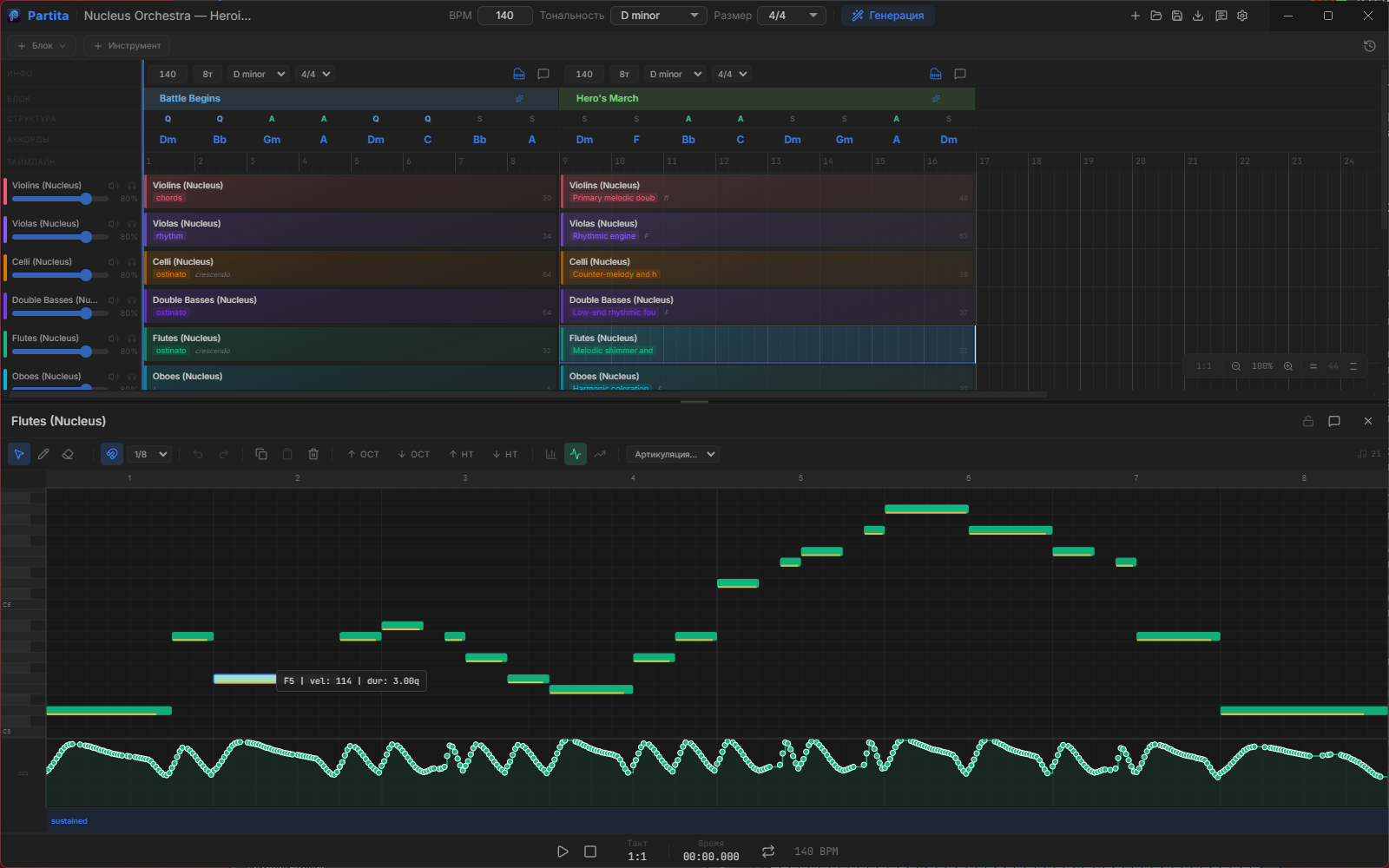
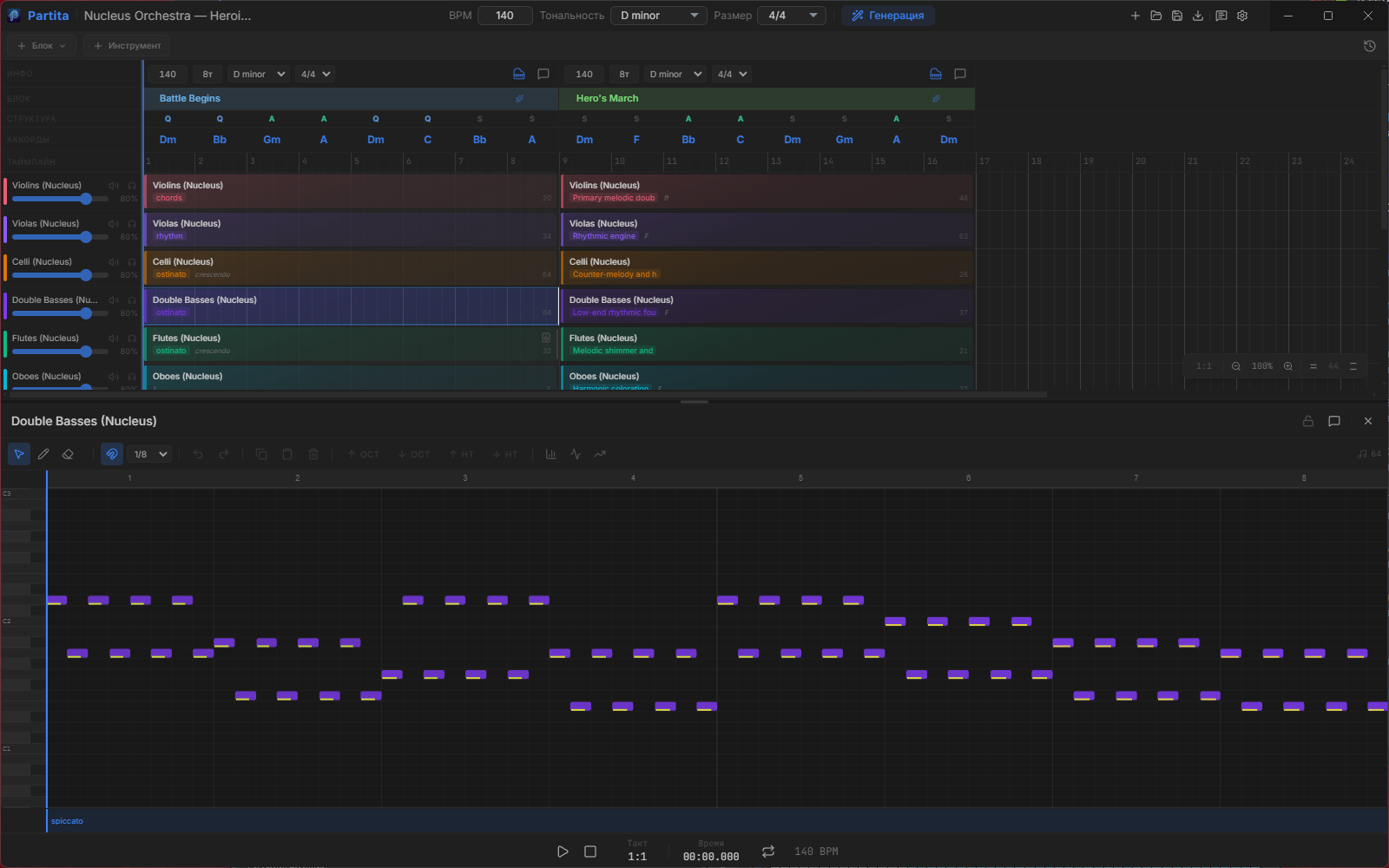
Practical orchestration tips are curated for your prompt. After generation — articulations, natural phrasing for winds, dynamics, and grid quantization prepare it for export.
More features
Typical tasks — no made-up names, just roles and results.
I used to manually place winds and check ranges. Now I state my intent and polish the parts in the editor.
Needed an orchestra for a video in one evening. Got the skeletal arrangement and exported MIDI to Cubase.
I watch the AI build the score block by block — it’s a great way to study orchestration from actual parts.
Nucleus and CSS in out-of-the-box profiles. Keyswitches and CC sequences don't break articulations.
LoopMIDI + PARTITA STUDIO: I hear my libraries in Reaper instantly, without unnecessary rendering.
Different models for agent and generation: bring your own API, app license is a one-time purchase.
From idea to studio-ready file — in one app, featuring the palette and typography you're used to in modern editors.
Start with the built-in Partita Studio model and no separate key. If you want, connect OpenAI, Anthropic, Gemini, OpenRouter, Ollama, LM Studio, or AWS Bedrock.
Go to productFull-range piano roll, velocity, CC, and articulations. You also get mini note previews directly inside clips on the timeline.
ScreenshotsSolo, section, and ready-made ensemble setups for popular libraries. Pick the lineup you need and keep moving.
LibrariesUnderstands your intent, plans structure, creates parts. Dozens of scenarios via agent tools.
Full keyboard range, velocity, CC, articulations, and expression.
47 orchestration documents — the agent loads relevant parts based on your prompt.
Built-in sound, MIDI output routing to DAW, professional-resolution file export.
windBrassBreathing, microDynamics, enforceRange, quantize.Route MIDI to Cubase, Reaper, FL, Ableton via virtual port — convenient for Kontakt and other libraries.
You can start with the built-in free Partita Studio model. If you need something else, connect your own services and choose separate models for the agent and generation.
Write on Telegram — we'll help with licensing, updates, and DAW connection.
Telegram ChannelPARTITA STUDIO routes MIDI to your virtual instruments. It already includes 65 profiles: solo, section, and ready-made ensemble setups for popular libraries.
PARTITA STUDIO sends MIDI into Cubase, Reaper, FL Studio, and Ableton through a virtual MIDI port. On Windows, the usual choice is LoopMIDI.
Windows: Download LoopMIDIWhether you're a pro or a beginner — the next step is closer.
Music for videos, podcasts, or games without reading sheet music.
Quick sketches, arranging experiments, and polishing in your DAW.
Watch the score being built and learn from actual generated parts.
Free trial, a perpetual license, and three subscription tiers from entry level to max.
The built-in free Partita Studio model is available right after sign-in. If you need a different setup, you can still connect your own AI services.
Download the Windows app, describe an idea, and hear the orchestra.
Built for Windows 10/11, installs quickly, and stays up to date automatically.
Download for Windows